
SmartLock | Product SpecsUpdated 2 months ago
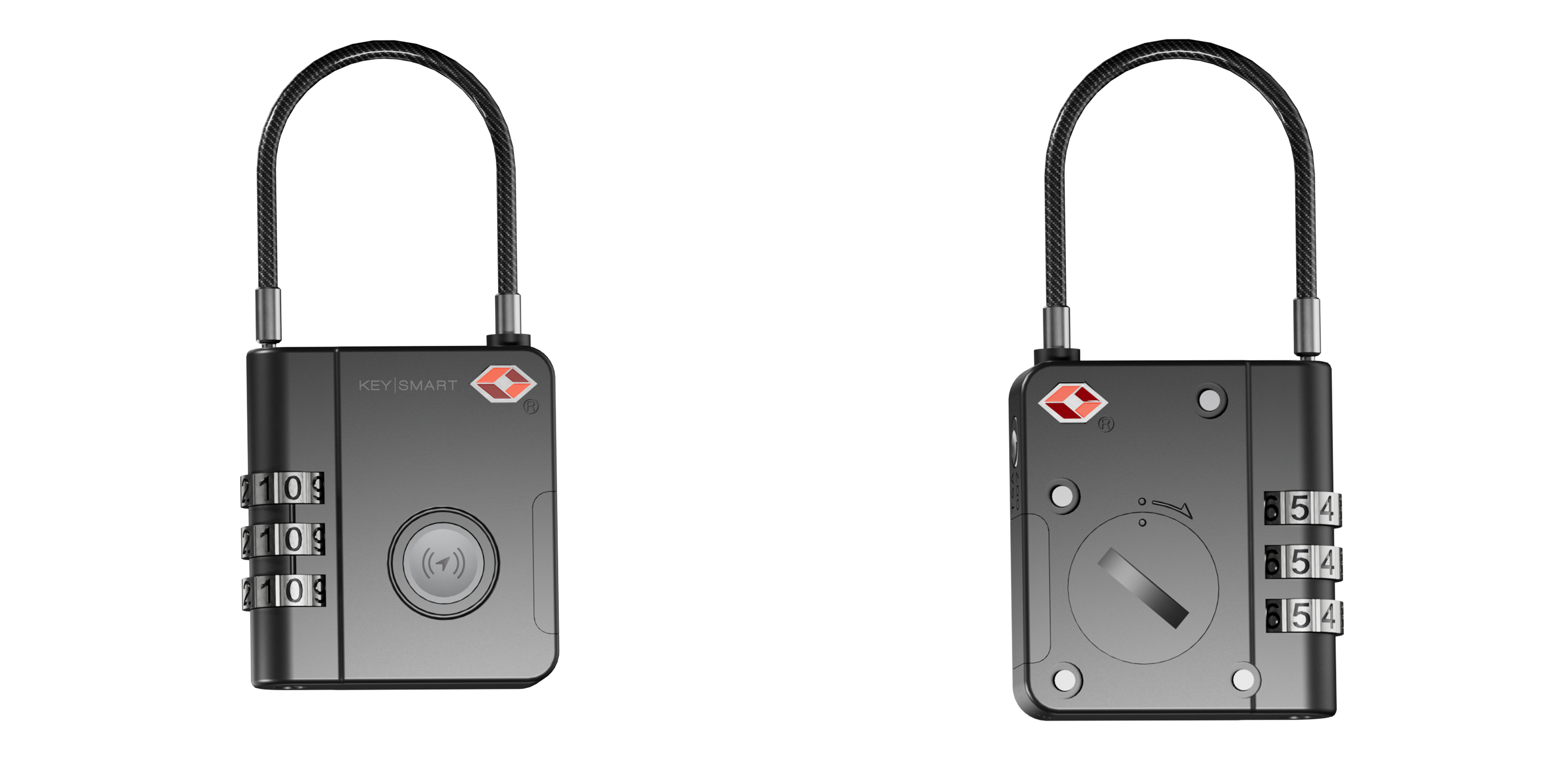
Description
Meet SmartLock — the rugged travel lock that works seamlessly with the Apple Find My app, giving you a smarter and more secure way to track your belongings. Designed for travelers who value peace of mind, SmartLock allows you to monitor your luggage, laptop, and other valuable items directly from your iPhone, iPad, Mac, or Apple Watch using the Apple Find My Network.
With SmartLock, you can easily view your item’s location on a map, play a loud sound to quickly identify your luggage at the airport, or mark it as lost and get help locating it through Apple’s global Find My Network. Its discreet design helps prevent unwanted attention, while its durable, TSA-compatible construction ensures both security and convenience during your travels.
Whether you’re navigating busy airports or simply want extra reassurance, SmartLock helps you stay connected to what matters most — wherever your journey takes you.
Technical Information
- Material: Features a durable alloy shell combined with a vinyl-coated, braided rugged steel cable, designed to withstand the demands of frequent travel while keeping your belongings secure.
- Battery: Powered by a CR1632 coin cell battery with a 140mAh capacity. Under typical usage conditions, SmartLock provides approximately four months of operation. The battery is easily replaceable, ensuring continuous performance without interruption.
- TSA-approved security: Fully compatible with TSA screening requirements, allowing airport security to inspect your luggage without damaging the lock.
- Bluetooth range: Offers a wireless range of up to 200ft (approximately 60 meters).
- Customizable combination: Includes a user-settable combination, giving you full control to create and update your lock code for added security and convenience.
What's in the box?
Your SmartLock package includes everything you need to get started right away. Inside the box, you will find the SmartLock itself, with a coin cell battery already installed.
The SmartLock also includes several instructional stickers placed directly on the device to help guide you through the initial setup and usage.
Before using your SmartLock for the first time, please remember to remove the battery protection tab. This step is required to activate the battery and allow the SmartLock to power on and connect properly.
Warranty
For more information about the product warranty, please click here.
FAQ
- Does SmartLock work with Android devices?
- No. SmartLock was specifically developed to work with Apple devices, as it relies on the Apple Find My app, which is only available on iPhone, iPad, and other Apple devices.
- Can I link my SmartLock to more than one phone or Apple account?
- SmartLock can only be linked to one Apple ID at a time. However, you can share access with others using the Group Sharing feature within the Apple Find My app.
- What is the Apple Find My app?
- The Apple Find My app is a native app available on Apple devices. It allows you to locate and manage compatible items like the SmartLock. For the best experience, we recommend using the latest version of iOS, iPadOS, or macOS.
- How secure is the Apple Find My network?
- The Find My network uses end-to-end encryption and anonymous Bluetooth signals to locate your items. This ensures your location data remains private, secure, and accessible only to you, while also being highly efficient in terms of battery and data usage.
- Can someone use SmartLock to track me without my knowledge?
- No. If your iPhone detects an unknown SmartLock traveling with you, you will automatically receive a notification. After some time, the device may also play a sound to help you locate it. These alerts are designed to protect your privacy and only occur when the device is separated from its owner.
- How do I replace the battery?
- Use a coin to rotate the battery compartment lid counterclockwise until it opens. Carefully remove the old battery and insert a new CR1632 coin cell battery, ensuring it is properly aligned. Once inserted, close the lid by rotating it clockwise until it is securely sealed.
- How do I set or reset the combination?
- First, turn the lock dial to the current combination and align all digits with the reference line on the front of the lock. The default combination is 000. Using a small screwdriver, pen, or similar tool, press and hold the reset button located on the bottom of the lock. While holding the button, turn the dial to set your desired combination. Release the button to save the new combination.
- To reset the combination in the future, repeat the same steps using your current combination instead of the default one.
- First, turn the lock dial to the current combination and align all digits with the reference line on the front of the lock. The default combination is 000. Using a small screwdriver, pen, or similar tool, press and hold the reset button located on the bottom of the lock. While holding the button, turn the dial to set your desired combination. Release the button to save the new combination.
For more information about the product, you can visit the product page on our website by clicking here.