
How to set your combinationUpdated 2 months ago
To set your combination on the SmartLock, please follow these steps carefully:
1. Turn the lock dial to the default combination (000). Make sure all three digits are aligned with the reference line on the front of the lock, as shown in the image below.
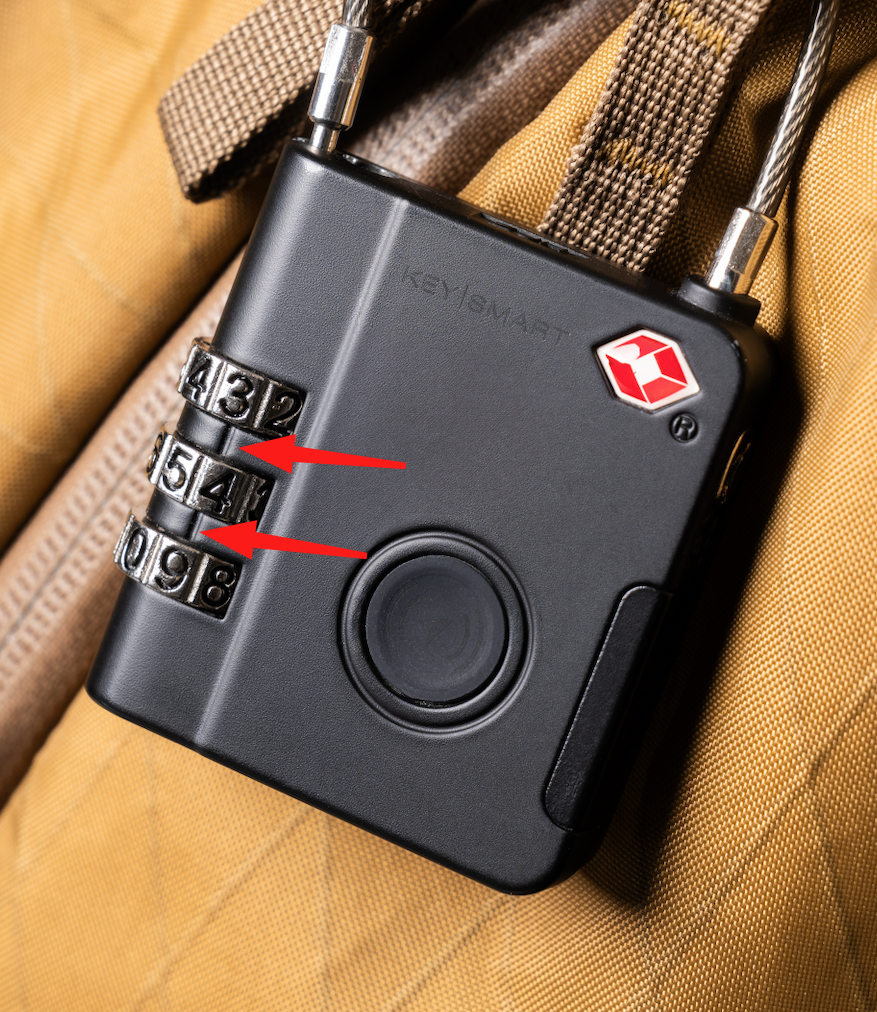
2. Using a small screwdriver, pen, or similar tool, press the reset button located on the bottom of the lock.
3. While holding the reset button, turn the dial to select your desired combination.
4. Release the reset button to save your new combination. Your SmartLock is now set to your chosen code.
To reset the combination in the future, simply repeat these steps using your current combination instead of the default one.
We also have a step-by-step video that demonstrates this entire process. You can watch it here.
Important Reminder: For security reasons, SmartLock combinations cannot be reset without the current code. The lock is initially set to the default combination (000), but once changed, it can only be opened using the most recently set combination. Please make sure to store your combination in a safe place, as there is no alternative way to reset or unlock the SmartLock without it.